
Others
100%
Veo Lite
40%
Lowest Cost per Ad Creative
Scored 9.0/10 on cost efficiency — the highest in its class. Generate 20+ ad variations for the price of a single stock clip. Stop overpaying for creative that might not even convert.
Google's fastest AI video model optimized for high-volume ad creative production. Veo-3.1-Lite converts text descriptions and static images into dynamic, high-quality videos, ready for marketing campaigns, or any creative project.
Avg quality
6.7/10
Gen speed
8.5/10
Cost efficiency
9.0/10
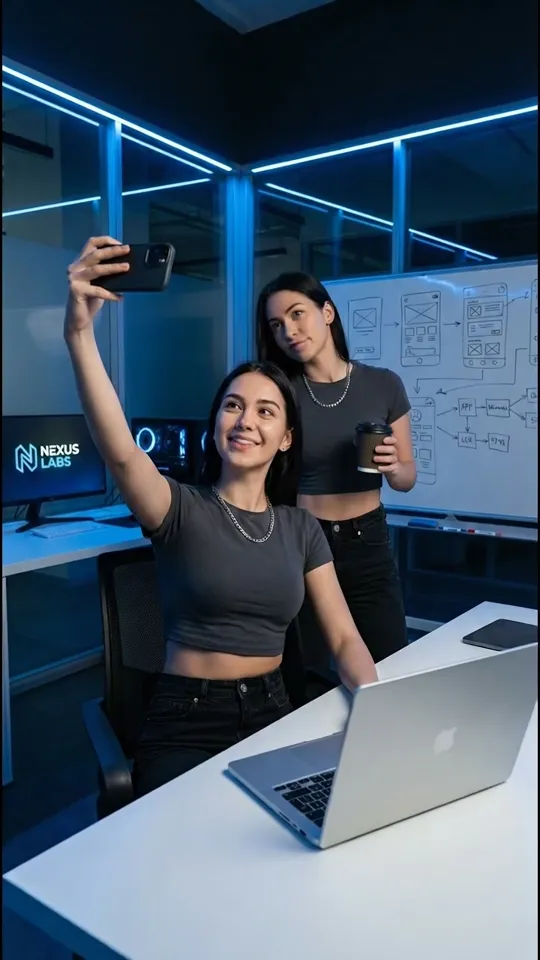
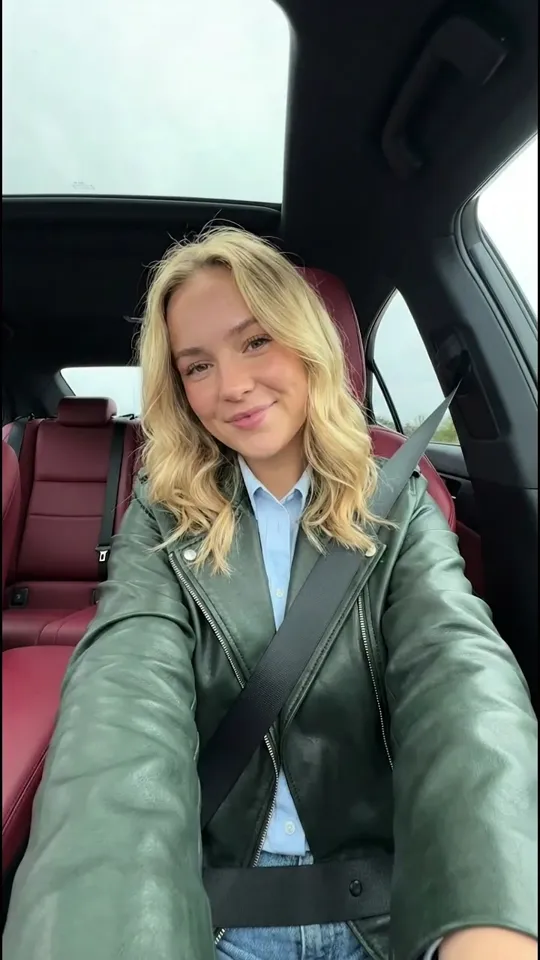
All videos generated with start frames at 720p, 6s, 9:16 — raw AI output across 10 niches, same prompts used across models, no post-processing. Just compressed for web optimization.

You need ad creatives fast, cheap, and on-brief. Here is where Veo 3.1 Lite delivers based on real benchmark scores.
Scored 9.0/10 on cost efficiency — the highest in its class. Generate 20+ ad variations for the price of a single stock clip. Stop overpaying for creative that might not even convert.
With an 8.5/10 generation speed, you go from prompt to finished ad creative in under a minute. No more waiting on editors or freelancers while your campaign stalls.
Top-rated prompt accuracy means the video you get matches what you asked for. Describe your product shot, set the mood, and get usable output on the first try — not the fifth.
See exactly how Veo 3.1 Lite performs across the metrics that matter for real ad production. Total Ad Score is weighted 70% quality, 20% cost, 10% speed — because creative quality drives ROAS more than unit cost.
Generation Speed
8.5/10
Cost Efficiency
9.0/10
Total Ad Score
7.3/10
If you need to produce ad creatives fast and cheap, Veo 3.1 Lite is the model to start with. It scored 9.0 on cost efficiency and 8.5 on speed — you can test dozens of variations before other models finish one. Product shots, food close-ups, and beauty content come out strong. Skip it for talking heads or complex human motion — that is where models like Kling O3 earn their price.
See how Veo 3.1 Lite compares head-to-head against other AI video models.
Side-by-side specs, scores, and pricing so you can pick the model that delivers the best ROI for your ad spend.
| # | Model | AA Elo | Arena Elo | Quality Avg | Speed | Cost Eff. | Total | View |
|---|---|---|---|---|---|---|---|---|
| 1 | Kling O3 | 1,282 | 1,357 | 8.4 | 7.5 | 7.0 | 8.0 | View Model |
| 2 | Veo 3.1 Fast | 1,271 | 1,383 | 8.3 | 7.0 | 6.0 | 7.7 | View Model |
| 3 | Seedance 2.0 Fast | 1,346 | 1,454 | 8.2 | 7.0 | 5.5 | 7.5 | View Model |
| 4 | Veo 3.1 Lite | — | — | 6.7 | 8.5 | 9.0 | 7.3 | This page |
| 5 | LTX 2.3 Pro | 1,156 | — | 6.1 | 9.0 | 8.5 | 6.9 | View Model |
Last updated: April 9, 2026
Veo 3.1 Lite is Google DeepMind's budget-friendly AI video model. It generates short video clips (4-8 seconds) from a text prompt or a static image — meaning you can turn a product photo or an ad concept into motion creative without filming anything. It outputs at 720p or 1080p in both 16:9 and 9:16 formats.
At 4 credits per second, it is the cheapest model in Google's Veo lineup — less than half the cost of Veo 3.1 Fast. The quality is solid for most ad formats, though it does not match Fast on photorealism or fine detail. The trade-off is intentional: Lite is built for volume, not perfection.
For performance marketers, this is the model you use when you need to test 20 hooks, 10 product angles, or 5 different audiences — and you need all that creative by tomorrow morning. The cost per variation is low enough that you can treat creative testing the way you treat audience testing: with real volume.
Veo 3.1 Lite scores highest on product-focused and object-centric ad formats. Based on our benchmarks across 10 niches, here is where it works best — and where it falls short.
Strong performers: Cooking and food close-ups are Lite's sweet spot — sizzling pans, ingredient prep, and plating shots look convincing and need minimal human motion. Beauty and cosmetics content also scores well: serum applications, lipstick reveals, and product rotations all play to the model's strength with objects and textures. Fashion product shots (clothing flat-lays, unboxing, fabric reveals) and supplement hero shots round out the top tier.
Weak performers: Anything with a talking human struggles. AI influencer talking heads have inconsistent lip sync and facial expressions. Multi-person podcast scenes lose coherence between subjects. Fitness content with complex body motion (jumping, running, yoga poses) tends to produce unnatural movement. If your ad strategy relies on UGC-style talking heads, look at Kling O3 which scores 9.0 on human realism.
The volume play: Where Lite really shines is not in any single niche — it is in the ability to generate 30 variations of a product shot for the cost of one stock clip. Most winning ads are found through testing, not guessing. Lite makes that testing loop financially realistic for the first time.
Decide where the ad will run before you generate anything. TikTok In-Feed, Instagram Reels, Snapchat, and YouTube Shorts all need 9:16 vertical video. YouTube pre-roll and Facebook Feed work best in 16:9. Generating in the wrong ratio and cropping later wastes the composition.
Describe the scene the way a director would brief a camera operator: subject, action, camera movement, lighting, mood. Example: "Close-up of a matte black supplement bottle rotating slowly on a marble surface, warm studio lighting from the left, clean minimal background, health product commercial feel." The more specific you are, the less you waste on unusable output.
AI output varies between runs, even with the same prompt. Generate at least 5 variations of each concept. At 4 credits per second, a batch of five 6-second clips costs around 120 credits — a fraction of what a single stock clip or freelancer would cost. Pick the best performer from each batch.
Veo 3.1 Lite does not render text reliably, so generate clean video only. Add headlines, price callouts, logos, and CTAs in post-production using CapCut, your ad platform's built-in editor, or any lightweight video tool. This also lets you A/B test different text overlays on the same base video.
Upload the finished MP4 to your ad platform (TikTok Ads Manager, Meta Ads Manager, Google Ads, Snapchat Ads). Run 3-5 creative variations per ad set to let the algorithm find the winner. Replace fatigued creatives every few days by generating a fresh batch — the low cost makes this sustainable.
Veo 3.1 Lite is Google DeepMind's cost-efficient AI video generation model. It creates short video clips from text prompts or static images at 720p or 1080p resolution, in 16:9 or 9:16 aspect ratios. It is the cheapest model in Google's Veo lineup, built for advertisers who need to produce and test many ad variations quickly.
At 4 credits per second, Veo 3.1 Lite lets you generate 20-50 ad variations for roughly the same cost as a single stock video clip. Most winning ad campaigns are found through volume testing — Lite makes it practical to test at the scale that performance marketing actually requires.
Veo 3.1 Lite generates video in both 9:16 (vertical) and 16:9 (landscape) at up to 1080p. This covers TikTok In-Feed and TopView ads, Instagram Reels and Stories, Facebook Stories and Feed video, Snapchat Commercials, YouTube Shorts, and YouTube pre-roll placements.
Veo 3.1 Lite scores highest on product-focused content: cooking close-ups, beauty tutorials, fashion reveals, supplement hero shots, and lifestyle scenes. It handles objects, food, and environments well. It is weaker on AI influencer talking heads and complex human motion — for those, consider Kling O3.
Use Lite for volume testing and iteration — generate dozens of variations to find winners. Use Fast when you have a proven concept and need the highest visual quality for your final hero creative. Many advertisers use both: Lite for discovery, Fast for the polished final version.
Yes. Videos generated with Veo 3.1 Lite can be used commercially, including in paid advertising on TikTok, Meta, YouTube, Snapchat, and other platforms. There are no additional licensing fees beyond the generation credits.
Write detailed prompts that describe the scene, camera angle, lighting, and mood. Generate at least 5 variations per concept and pick the best one. Always generate in the correct aspect ratio for your target platform — do not crop after the fact. Add text overlays and CTAs in post-production, as the model does not render text reliably.
Clips are 4, 6, or 8 seconds long. This matches the critical hook window for social ads — the first 3-6 seconds that decide whether someone watches or scrolls. For longer ads, generate multiple clips and stitch them together in an editor like CapCut or your ad platform's creative tools.
Explore guides for AI models built for ad creation.
Premium AI video ads with the highest photorealism and scene consistency. Scores, examples, and comparisons.
The #1 model for human realism. UGC talking heads, AI influencers, and people-focused ad content.
The fastest and most affordable AI video model. Maximum creative velocity for rapid ad creative testing.
ByteDance's multimodal AI video model. #1 on motion physics at 10 credits/sec. Weak on humans.
Google's premium AI image model with the highest visual quality, text rendering, and composition scores.
Google's fastest AI image model. Generate ad images in 2-6 seconds for rapid creative testing.
ByteDance's most affordable AI image model for e-commerce and marketing creatives.
OpenAI's top-scoring AI image model. Perfect text rendering, best human realism, #1 on Arena.
Get the full AI ad creation toolkit — courses, prompt packs, and a community of creators scaling with AI.